Custom Door Quote Generator: Price Cabinet Doors Online
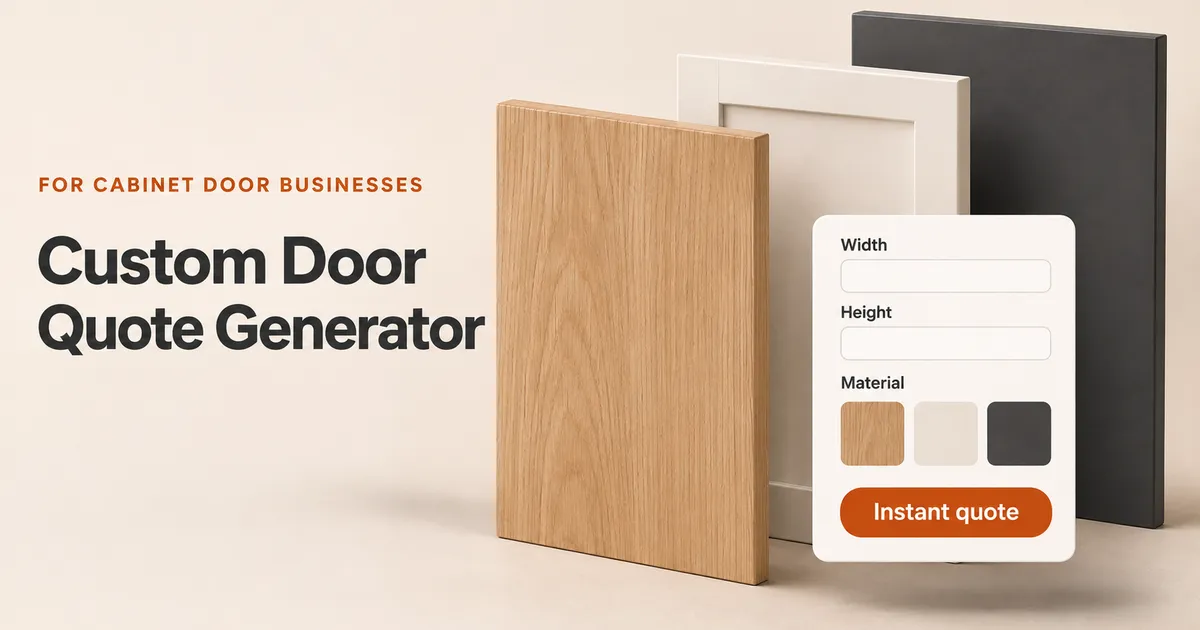
A customer arrives on your website with a list of cabinet door sizes. They want to know whether oak veneer fits their budget, how much a different design would cost, and what happens if they add four drawer fronts. If the only next step is an email enquiry, your team has to calculate each version before the customer can compare them.
A custom door quote generator lets buyers select cabinet fronts, enter dimensions and see prices based on your own rules. For cabinet door manufacturers, replacement-front brands and resellers, it connects the customer's product choices to the details your team needs to review an order.
This guide follows that journey: what the buyer enters, how the price changes and what your business receives.
What is a custom cabinet door quote generator?
A custom cabinet door quote generator is an online tool that calculates prices from a seller's product catalogue, dimensions, quantities and pricing rules. Customers use it to build an enquiry or order without asking your team to price every standard variation manually.
A basic contact form collects a request. A quote calculator also applies prices. A cabinet door configurator adds structured product choices, such as the cabinet system, door design, material, colour and component type, so the resulting price describes a specific selection.
Fronts Form combines that website configurator with catalogue, quote, customer and order management. Your business controls the range and prices; buyers choose from the options you make available.
See the customer quoting journey
Imagine a buyer replacing a kitchen's doors and drawer fronts while keeping the cabinet frames. They already know the look they want, but need to compare materials and assemble a complete list.
1. Choose the cabinet system or made-to-measure range
The buyer starts with the range that matches their project. Fronts Form includes dimension presets for IKEA METOD, FAKTUM and PAX, and businesses can create other cabinet systems and components.
Preset sizes can make selection easier. Where a component allows custom dimensions, customers can enter a width and height within the limits you define. Explain whether you require finished front dimensions and which measurement units to use. A preset is a starting point; fitting details still need checking.
2. Select the design, material and colour
Next, the customer chooses from your available designs, materials and colours. A clear product image and a recognisable finish name help them understand what they are pricing. Enable custom colour codes only for materials where your business offers that service.
Keep the available combinations aligned with what you supply. If a design is offered in painted MDF but not oak veneer, the customer should see choices that reflect your actual catalogue.
3. Add the sizes and quantities
A kitchen usually contains several different components. Customers need to distinguish doors, drawer fronts and cover panels, then add the relevant dimensions and quantities for each.
Clear component names matter. A customer should be able to review their list and recognise which item belongs to each part of the project before submitting it.
4. Compare the price as selections change
The configurator applies your pricing rules to the selected products. Buyers can compare available materials or designs and see the effect on the price before contacting your team.
The useful result is a priced selection they understand. Make clear what the displayed amount includes and where delivery, tax or additional services enter the calculation.
5. Review and submit the specification
Before continuing, the buyer reviews the items and provides their contact and delivery details. Your setup determines whether the journey includes a proposal, immediate payment or a deposit.
For your team, the enquiry now has a defined starting point: selected products, sizes, quantities and prices together with the customer's details.
What changes the cabinet door price?
The generator follows the rules you set. In Fronts Form, area-based products can use a rate per square metre for each design, material and component combination. A minimum billable area can prevent small items being priced below your intended minimum.
- Dimensions: width and height determine the area used in an area-based calculation.
- Design and material: different combinations can carry different rates.
- Component type: a door, drawer front and cover panel can have separate pricing.
- Minimum billable area: small items can be charged using a defined minimum area.
- Handles and quantities: selected handles and item counts affect the order total.
For an illustrative example, take a 600 × 800 mm front with an area of 0.48 m². At an assumed rate of €100 per m², it costs €48. If the customer selects a material priced at €120 per m², that line becomes €57.60, assuming no minimum-area adjustment or extras. These are example selling prices, not Fronts Form subscription prices or a supplier quotation; delivery and tax are excluded.
The selection and its price should remain connected as the customer compares options. For help defining your rates, read our guide to cabinet door pricing.
What does your business receive?
The value extends beyond producing a total. Your team needs enough information to understand what the customer selected and what must happen next.
A Fronts Form order keeps the cabinet system, component, dimensions, design, material, colour, quantity and price together. Applicable handle choices, customer details, delivery information and the financial summary sit alongside the items. Quote PDFs are available from the order record, and a sent proposal has a customer offer link.
For example, a useful item record identifies a specific oak-veneer slab door, its width and height, quantity and quoted price. That is easier to review than an email requesting “two oak doors” with measurements in a separate attachment.
Your team should still check measurements, compatibility and manufacturing requirements before confirming production. The generator structures the information and applies your prices; your business remains responsible for supplying the correct products.
Can you add a quote generator to your existing website?
Fronts Form provides an iframe embed that you add to a page on your website. You maintain your catalogue and prices in Fronts Form while customers use the configurator within your site. Your website editor and plan must allow iframe embeds.
This approach can be used on WordPress, Shopify, Webflow, Squarespace and custom websites that support embedded content. If you need quotes to connect to an existing Shopify or WooCommerce cart, checkout or order record, confirm the available integration separately.
Place the quoting page where buyers already browse your cabinet fronts. Link to it from relevant product pages, explain what measurements customers need, and provide a clear route to help. Test the complete journey on mobile as well as desktop.
If you are preparing your catalogue for the first time, our guide to automating cabinet door quotes covers setup and testing. For a wider view of available tools, see cabinet door quoting software compared.
Frequently asked questions
Can customers enter custom cabinet door sizes?
Yes, for components configured to allow custom sizes. In Fronts Form, you can set minimum and maximum width and height. Other components can use preset dimensions, depending on the range you offer.
Can I use my own cabinet door prices?
Yes. You define the rates for your design, material and component combinations, along with minimum billable areas where needed. Handles have separate pricing. Check representative orders against your approved calculations before publishing the range.
Can it quote replacement fronts for IKEA cabinets?
Fronts Form includes METOD, FAKTUM and PAX dimension presets that you can combine with your own designs, materials and prices. Confirm the customer's cabinet system and verify fitting specifications before production.
Can customers receive a PDF quote?
Quote PDFs are available from the Fronts Form order record. The proposal workflow also provides a customer offer link, keeping the quoted items and customer details connected.
Does every configured quote need immediate payment?
Your configuration determines the available journey. Fronts Form supports a proposal workflow as well as immediate and partial payments through Stripe when enabled. Choose the process that matches how your business reviews and confirms orders.
Try it with your own cabinet door range
Choose a range you sell regularly and a recent order you know how to price. Enter the same selections, change a material, add a drawer front and review the resulting specification. That exercise shows whether the customer journey fits your business.
Start your free Fronts Form trial to explore a custom door quote generator for your website. See current pricing and trial details.