Cabinet Door Pricing: How to Set Rates for Custom Fronts
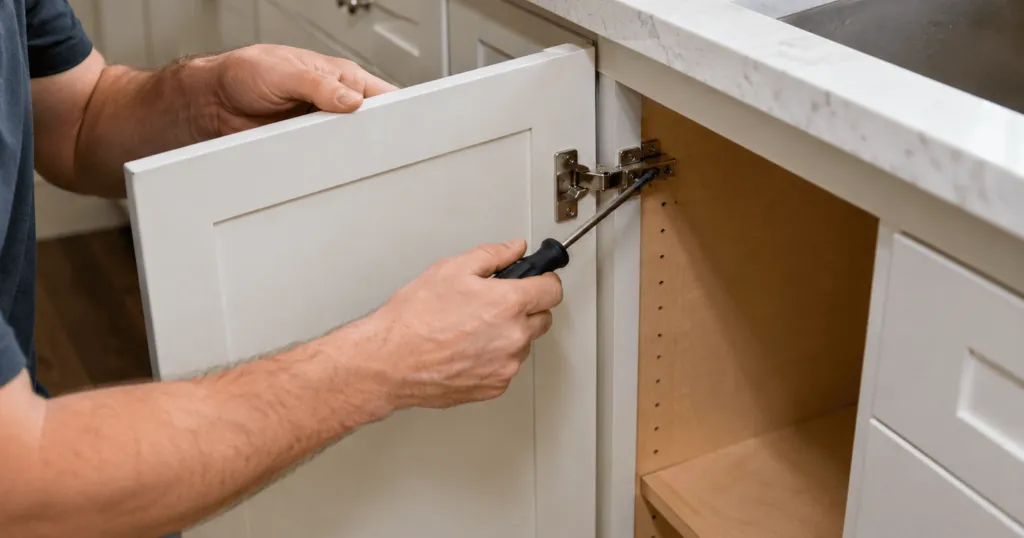
A small drawer front can cost less in material than a full-height door while still needing its own machining, finishing, checking and packing. If your price list only multiplies the visible area by a material rate, that difference can disappear from the quote.
For cabinet door manufacturers and replacement-front brands, a useful pricing model needs to give customers a clear price and account for the work behind each component. The same rules should work when someone orders one replacement front or a complete kitchen.
This guide explains how to build those rules: define your product combinations, calculate the area, account for small pieces and test a complete order before putting prices on your website.
Published by Fronts Form. All rates, minimums and order charges in the worked examples are illustrative. They are not market benchmarks, recommended selling prices or Fronts Form subscription prices.
In this article
- What your cabinet door price should include
- How to calculate a price per square metre
- How minimum billable areas work
- How to build the selling rate from your costs
- A complete cabinet-front order example
- Six checks before using your prices online
- Common cabinet door pricing mistakes
- Frequently asked questions
- Start with one checked product range
What should your cabinet door price include?
Before setting a price per square metre, define what the customer gets for that rate. A painted slab door, a routed Shaker front and a veneered cover panel should not automatically share one price because their dimensions match. Their materials, production steps and finishing requirements may differ.
Build your starting price list around three choices:
- Design: the door style or construction you offer.
- Material and finish specification: the substrate, surface and included finishing work.
- Component: a door, drawer front, cover panel or other separately defined item.
For each combination, record what is included. Does the price cover finishing both faces? Are edges included? Is drilling standard, optional or subject to a separate review? If a colour or detail changes the work involved, decide how you will account for it before the customer requests a quote.
Identify products that need an individual quotation, too. A curved front or a special grain-matched arrangement may need a different costing method from your standard range.
If you are organising the catalogue for the first time, our guide to automating cabinet door quotes explains how the product information connects to an online ordering process.
How do you calculate cabinet door prices per square metre?
For dimensions entered in millimetres, calculate the finished front area first:
Area in m² = width in mm × height in mm ÷ 1,000,000
A front measuring 600 × 800 mm has an area of 0.48 m². At an illustrative selling rate of €180/m², its base price is:
0.48 × €180 = €86.40 per piece
Use the finished front dimensions required by your specification. A cabinet's nominal width is not necessarily the finished width of its door. The dimensions used for billing should correspond to the actual item being supplied.
If your business works in inches, multiply width by height and divide by 144 to calculate square feet. Keep the dimensions and the rate in matching units throughout the quotation.
Decide how you will round prices. Rounding each unit before multiplying by quantity can produce a different total from rounding only the final line. Use one consistent method and compare it with your invoices.
How does a minimum billable area work?
Area pricing needs to account for work that does not shrink in proportion to the piece. A small drawer front still moves through the workshop and needs checking and packing.
Consider a 600 × 200 mm drawer front. Its actual area is 0.12 m². At €180/m², a straight area calculation produces €21.60. If that price does not cover the work involved, one option is a minimum billable area.
With an illustrative minimum of 0.20 m², the same front would be priced at €36. The rule is:
Base price per piece = the greater of actual area or minimum billable area, multiplied by the applicable rate
Apply the minimum to each piece before multiplying by quantity. Six drawer fronts with a 0.20 m² minimum have a combined billable area of 1.20 m², even though their actual combined area is 0.72 m².
Keep the actual dimensions in the order record. A billing minimum changes the price calculation; it does not change the size to manufacture.
Supplier Cutting Edge describes minimum square footage in its online quoting guide. That is an example of the method in use. Your own minimum should come from your costs and product range.
How do you build the selling rate from your costs?
A consistent formula can still produce an unprofitable price if the underlying rate is too low. Review each product combination using your own purchasing and production records wherever possible.
Account for the costs that belong to the product:
- Purchased material and expected waste.
- Machining and other production labour.
- Finishing labour, materials and consumables.
- Checking and packing.
- An appropriate allocation of overhead.
Then test the resulting rate against representative orders. A price that works for large doors may behave differently on an order dominated by narrow drawer fronts. Review the minimum billable area and the rate together.
Keep markup and margin separate
If the cost included in your calculation is €100, adding a 40% markup gives a selling price of €140. The €40 difference is about 28.6% of the selling price. A 40% margin on that same cost requires a price of about €166.67, before tax.
Write down which measure you use when reviewing prices. Mixing the two can leave a price list below the return you intended, even when every area calculation is correct.
What does a complete cabinet-front order calculation look like?
Customers need to understand the complete quotation. Decide which costs belong inside the product rate, which appear separately and which require an individual review.
The following example uses eight doors, six drawer fronts, two cover panels and fourteen handles. Product rates include the specified finish. All figures are illustrative.
Doors
- Quantity: 8.
- Size per piece: 600 × 800 mm, or 0.48 m².
- Rate: €180/m².
- Line total: 8 × 0.48 × €180 = €691.20.
Drawer fronts
- Quantity: 6.
- Size per piece: 600 × 200 mm, or 0.12 m².
- Minimum billable area: 0.20 m² per piece.
- Rate: €180/m².
- Line total: 6 × 0.20 × €180 = €216.00.
Cover panels
- Quantity: 2.
- Size per piece: 600 × 2,200 mm, or 1.32 m².
- Rate: €150/m² for this component.
- Line total: 2 × 1.32 × €150 = €396.00.
Handles, delivery and the order total
- Handles: 14 × €8 = €112.00.
- Product subtotal: €691.20 + €216.00 + €396.00 + €112.00 = €1,415.20.
- Delivery: €85.00.
- Total before tax: €1,500.20.
Installation is excluded from this example. Show the applicable tax and the complete payable total in the actual customer quotation. If you offer optional work, make its scope and price clear before the customer approves the order.
Six checks before using your cabinet door prices online
Choose sample orders that reveal weaknesses in the model. Compare the calculated prices with an independently checked quote, then inspect the retained specification as well as the arithmetic.
- A typical mixed order. Include doors, drawer fronts and panels. Check quantities, individual prices and the subtotal.
- Several small pieces. Confirm the minimum billable area applies per piece and that the original dimensions remain in the specification.
- Your smallest and largest accepted sizes. Check that available choices match what your workshop can supply.
- The same dimensions in different products. Change the design and material, then verify that the correct rate applies.
- An unavailable combination. Confirm it cannot be bought as a standard product or is clearly directed to review.
- A complete order with extras. Test handles, delivery and an applicable discount, including how the final total is presented.
For each exception, decide whether to publish a clear rule, restrict the available choice or review the enquiry. An instant price is useful when it describes something your business can supply.
Common cabinet door pricing mistakes
- Charging every component at the same rate. Different construction and finishing work may justify separate prices.
- Mixing measurement units. A millimetre dimension and a rate per square foot need a conversion before multiplication.
- Applying a minimum to the order instead of each piece. Check the rule you intended and how quantities affect it.
- Counting a cost twice. Do not add a standard finish again if the product rate already includes it.
- Confusing markup with margin. Use the intended calculation consistently when reviewing your selling rates.
- Updating rates without retesting. Keep a small set of checked orders so you can compare results after changes.
Frequently asked questions about cabinet door pricing
Should every cabinet door have the same price per square metre?
Only where that rate makes sense for the work supplied. Different designs, materials and components may need separate rates. Define the included finish and production work so the customer can compare options clearly.
Is a minimum billable area the same as a minimum order value?
No. A minimum billable area sets the smallest area charged for an individual piece. A minimum order value sets a threshold for the whole order. If you use both, explain them separately.
Can I calculate cabinet door prices in a spreadsheet?
Yes. A spreadsheet can help you build and test the model. Give it clear units, controlled rates and a consistent rounding method. When you introduce online quoting, compare its results against the checked spreadsheet before customers rely on it.
Should handles and delivery be included in the area rate?
Choose the approach that reflects your costs and makes the quotation understandable. Separate handles and delivery can make different order configurations easier to compare. Whatever method you use, state what is included and avoid adding the same charge twice.
Can Fronts Form use minimum billable areas?
Yes. The Fronts Form FAQ describes area-based rates by design, material and component, with a minimum billable area for small pieces. Handle prices are managed separately. Prepare your rates and test orders before setting up the catalogue.
Start with one checked product range
Choose a familiar design and material, define its components and write down what the price includes. Calculate a typical order, test the smallest pieces and check the complete total. Expand the price list once those results match your approved calculations.
Fronts Form brings cabinet-front catalogue management, pricing rules and an embedded website configurator together. Customers can select from your range while the order keeps their chosen specifications alongside the price. Keep a final specification review in your workflow, especially for unusual dimensions or fitting requirements.
See how Fronts Form supports your pricing setup and use one checked range as the starting point for your online catalogue.